The SEO MCP server that puts Claude and ChatGPT to work on your site
Do your SEO from the assistant you already use. Mine your Search Console data, audit your whole site, research keywords, and turn what you find into published articles, all without leaving the chat.
59 tools
One URL
No API keys
Works in any remote MCP client
Copy
Works with

Claude

ChatGPT

Cursor

Claude Code

Codex

Gemini CLI

Windsurf
Claude Desktop
VS Code
Claude

Keytomic
What are my low-hanging fruit keywords?
Using Keytomic · finding quick wins …
2.4s
Connecting to Search Console
Reading 28 days of queries
Ranking keywords by clicks at stake
4 keywords are sitting just off page 1. Moving them up could add about +940 clicks a month.
Keywords
4
Clicks / mo
+940
Avg. position
11.7
Extra clicks per month on page 1
est.
best crm for startups
+410
crm pipeline template
+240
how to track leads
+170
small business crm free
+120
Keyword
Pos.
Next step
best crm for startups
9.4
Refresh page
crm pipeline template
11.2
New article
how to track leads
12.8
New article
Example conversation with sample data. On your account, the numbers come from your own Search Console.
Reply to Claude…
Add it to your assistant in about a minute
It’s one URL. Paste it in, sign in with your Keytomic account, and you’re set. No API keys and nothing to install. Setup steps are in the Keytomic MCP documentation, our guide to AI SEO agents compares other options, and plans are on the Keytomic pricing page.
Server URL
Copy
https://app.keytomic.com/mcp
Connect Keytomic to Claude
1
Open Settings, then Connectors, then Add custom connector.
2
Name it Keytomic and paste the URL below.
3
Click Connect, sign in to Keytomic and approve.
Connect Keytomic to ChatGPT
1
Open Settings, then Apps & Connectors. Under Advanced, turn on Developer mode, then click Create.
2
Name it Keytomic and paste the URL below as the MCP server URL.
3
Save, sign in with your Keytomic account, then pick Keytomic from the + menu in a chat.
Connect Keytomic to Cursor
1
Open Cursor Settings, then MCP, then Add new MCP server.
2
Add this to your mcp.json.
3
Sign in to Keytomic when Cursor asks.
{
“mcpServers”: {
“keytomic”: {
“url”: “https://app.keytomic.com/mcp”
}
}
}
Connect Keytomic to Claude Code
1
Run this command in your terminal.
2
Start Claude Code and sign in to Keytomic when it prompts you.
3
Click Connect, sign in to Keytomic and approve.
claude mcp add --transport http keytomic https://app.keytomic.com/mcp
Connect Keytomic to Codex
1
Add this to ~/.codex/config.toml.
2
Restart Codex and sign in to Keytomic when it prompts you.
3
Click Connect, sign in to Keytomic and approve.
[mcp_servers.keytomic]
url = “https://app.keytomic.com/mcp”
Connect Keytomic to Gemini CLI
1
Add this to ~/.gemini/settings.json.
2
Restart Gemini CLI and sign in to Keytomic when it prompts you.
3
Click Connect, sign in to Keytomic and approve.
{
“mcpServers”: {
“keytomic”: {
“httpUrl”: “https://app.keytomic.com/mcp”
}
}
}
Connect Keytomic to Windsurf
1
Open the Cascade panel, click the MCPs icon, then Configure.
2
Add this to mcp_config.json.
3
Refresh and sign in to Keytomic when asked.
{
“mcpServers”: {
“keytomic”: {
“serverUrl”: “https://app.keytomic.com/mcp”
}
}
}
Using another app? Any assistant that supports remote MCP servers can use the same URL.
What is an SEO MCP server?
An SEO MCP server is a connector that lets an AI assistant use real SEO data and tools instead of guessing from its training data. MCP stands for Model Context Protocol, an open standard that Claude, ChatGPT, Cursor and other assistants use to call outside tools.
Without one, your assistant can explain SEO but can’t see your site. With one, it can read your Search Console numbers, run an audit and act on what it finds.
How it works
01 Your assistant
Claude, ChatGPT or Cursor reads your question and picks the right tool.
02 Keytomic MCP server
Checks you’re signed in, runs the tool and returns structured results.
03 Your data
Stays where it lives: Search Console, your site crawl, your Keytomic projects. The assistant only sees what your account can open.
Remote vs self-hosted
Self-hosted SEO MCP servers run on your machine. You install them, manage API keys or Google Cloud credentials, and keep them updated. A remote server like Keytomic is hosted for you: paste one URL, sign in, done.
MCP vs an SEO API
An API needs code for every integration. An MCP server publishes its tools in a standard format, so any compatible assistant can use them from a plain-language question. Same data, no code.
SEO MCP use cases: ask a question, get the next step
Ask the questions you’d normally answer with three tools and an export. Your assistant pulls the numbers from your own site and comes back with the answer and the next step.
Google Search Console MCP: your real search data
Claude
Keytomic
Find my quick-win keywords
quick wins
Keyword · position
best crm for startups
9.4
crm pipeline template
11.2
how to track leads
12.8
lead scoring model
14.1
Ask anything…
Quick wins
Find keywords close to page 1
Queries ranking 5–20 with real impressions, with the page and the fix for each.
Claude
Keytomic
Where am I losing clicks to low CTR?
CTR gaps
Actual CTR vs expected for the position
/features/crm
1.1%
/blog/lead-scoring
1.9%
/pricing
2.4%
Actual
Expected
Ask anything…
CTR gaps
Fix titles that don’t earn clicks
Spot pages with high impressions and low CTR against what you’d expect.
ChatGPT
Keytomic
Do two pages compete for one keyword?
cannibalization
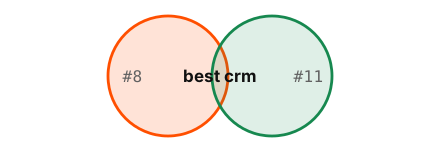
/crm-guide ↔ /best-crm-tools
Merge
/crm-pricing ↔ /pricing
Review
Ask anything…
Cannibalization
Find pages competing with each other
See which pages fight over one query, which should win and what to do with the other.
Claude
Keytomic
What did I gain or lose this month?
rank movement
best crm for startups
#14 → #9
crm pipeline template
new · #18
sales funnel stages
#22 → #12
crm pricing comparison
#4 → #9
Ask anything…
Movement
See what you gained and lost
Every keyword that moved up, down, appeared or vanished since last month.
ChatGPT
Keytomic
Compare mobile vs desktop by country
segments
Clicks · last 28 days
Mobile
6.1k
Desktop
3.6k
US 42%
UK 18%
IN 11%
DE 6%
Ask anything…
Segments
Slice by device, country and page
Compare mobile and desktop, top countries and page groups in one question.
Content freshness: catch decay before it costs you
ChatGPT
Keytomic
Which pages are losing traffic?
traffic decay
Clicks lost
−1,840
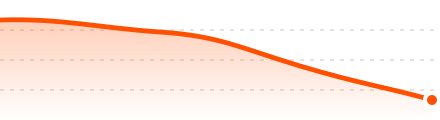
/blog/crm-guide
−42%
/compare/crm-tools
−31%
Ask anything…
Decay
Catch pages losing traffic
Compare any two periods and see which pages dropped, by how much, and why.
Claude
Keytomic
What should I refresh first this month?
/blog/crm-guide
-610 clicks
/blog/lead-scoring
#6 to #11
Ask anything…
Refresh queue
Build a refresh queue
Pages losing clicks or positions, ranked by the traffic you’d win back, with the queries behind each drop.
Claude
Keytomic
Which pages get no clicks at all?
/tag/crm
Remove
/blog/old-guide
Refresh
/blog/crm-tips
Merge
Ask anything…
Zombie pages
Decide what to do with dead weight
Pages that earn nothing in search, each marked refresh, merge or remove.
Claude
Keytomic
Add a 2026 pricing section to my CRM guide and republish.
Draft updated
+2 sections
Status
Republished
Ask anything…
Refresh in chat
Refresh Keytomic articles in place
For articles Keytomic wrote, ask for the update, review it, and push it live without leaving the chat.
AI visibility: show up in AI answers, not just blue links
Claude
Keytomic
Does ChatGPT mention us for best crm for startups?
ChatGPT
Mentioned #3
Perplexity
Cited
Gemini
Not mentioned
Ask anything…
AI answers
Track brand mentions in AI answers
See whether ChatGPT, Perplexity, Gemini and Google AI Overviews mention or cite you for the prompts you track.
Claude
Keytomic
Can AI crawlers read my site?
llms.txt
Missing
robots.txt
OK
Noindexed key pages
3
Ask anything…
AI crawler access
Check what AI crawlers can reach
llms.txt, robots.txt and indexability checks, so the pages you want quoted can actually be read.
Claude
Keytomic
Which questions could we answer better?
what is a crm pipeline
pos 14
how to track leads
pos 12.8
Ask anything…
Answer-ready questions
Find questions worth answering
Question searches you already appear for but don’t win, the kind answer engines quote. Turn them into FAQ sections or new articles.
From a full technical audit
Claude
Keytomic
Crawl my site and list every issue
site crawl
Crawled URLs
1,284
404 errors
12
Redirect chains
27
Missing titles
41
Duplicate H1s
18
Ask anything…
Crawl
Crawl your whole site
Broken links, redirect chains, missing titles and meta, duplicate H1s and status codes, in one prioritised list.
ChatGPT
Keytomic
Why aren’t my pages indexed?
index coverage
Indexed
82%
Crawled, not indexed
64
Noindex tag
9
Blocked by robots.txt
5
Ask anything…
Indexing
See why pages aren’t indexed
Noindex tags, robots.txt blocks, canonical conflicts and crawled-not-indexed pages, grouped by cause.
Claude
Keytomic
Check Core Web Vitals on key pages
performance
LCP
2.1s
INP
310ms
CLS
0.04
Fix first: compress hero image
−1.2s
Ask anything…
Performance
Check Core Web Vitals
LCP, INP and CLS for your key pages, plus the heaviest images and scripts holding them back.
ChatGPT
Keytomic
Find broken links and orphan pages
link map

Broken links
6
Orphan pages
9
Ask anything…
Links
Map links and orphan pages
Broken internal and external links, orphan pages, click depth and what to link where.
Claude
Keytomic
Check canonicals, schema and sitemap
markup checks
Canonicals
OK
hreflang
OK
Structured data
3 errors
robots.txt
OK
XML sitemap
1,204 URLs
Ask anything…
Markup
Validate canonicals, schema and sitemaps
Canonicals, hreflang, structured data, robots.txt and XML sitemaps, checked for errors.
ChatGPT
Keytomic
Find duplicate and thin pages
content checks
Similarity · word count
/tag/crm ≈ /category/crm
96%
/page-2 ≈ /page
88%
/blog/crm-tips
142 w
/careers
96 w
Ask anything…
Duplicates
Find duplicate and thin pages
Near-duplicate content, thin pages and repeated titles or meta descriptions across the site.
From keyword idea to published article
Claude
Keytomic
Find keyword ideas for crm onboarding.
crm onboarding checklist
1.9k/mo
customer onboarding flow
880/mo
Ask anything…
Ideas
Keyword ideas with volume
Know what’s worth writing before you write it.
Claude
Keytomic
Which of these don’t I rank for yet?
crm onboarding checklist
Not ranking
onboarding email sequence
Not ranking
Ask anything…
Gaps
Spot the topics you’re missing
New ideas checked against what you already rank for.
Claude
Keytomic
Add the top three to my calendar.
Topics added
3
Scheduled
Nov 4, 6, 9
Ask anything…
Calendar
Plan it in the same chat
Picked keywords become scheduled topics in your content calendar.
Claude
Keytomic
Write the article for crm onboarding checklist.
Draft saved
2,140 words
Hero image
Added
Ask anything…
Drafts
Draft and edit by asking
Generate the article and a hero image, then ask for changes until it’s right.
Claude
Keytomic
Publish it to WordPress.
Status
Published
URL
/blog/crm-onboarding-checklist
Ask anything…
Publish
Publish when you say so
Approved drafts go to your connected CMS, such as WordPress, Shopify or Webflow.
Analytics (GA4): what happens after the click
Claude
Keytomic
How did the blog do in GA4 this month?
Sessions
18.2k
Engagement rate
61%
Ask anything…
Traffic
Traffic and engagement
How pages perform once visitors land, not just in search.
Claude
Keytomic
Which pages drive demo signups?
/pricing
142
/compare/crm-tools
58
Ask anything…
Events
Events and conversions
Which events fire and which pages drive them.
Claude
Keytomic
Line up clicks with engagement.
/blog/crm-guide
2.1k clicks, 0:48
/features/crm
1.4k clicks, 1:12
Ask anything…
Search plus behaviour
Search plus behaviour
Search Console clicks next to what visitors do after the click.
Every tool in the Keytomic SEO MCP server
The Keytomic SEO MCP server gives your assistant 59 tools across Search Console, content freshness, AI visibility, technical audits, keyword research and publishing. Most only read your data; the few that change something run only when you ask.
Reads
On request
Search Console
Top queries and pages
Reads
Clicks, impressions, CTR and position by query, page, device and country
Quick wins
Reads
Queries in positions 5 to 15 with real impressions
Cannibalization
Reads
URLs that split one query
Rank changes
Reads
New, improving and top-ranking keywords
URL inspection
Reads
Live Google index status, one URL or a batch
Content freshness
Declining pages
Reads
Clicks and positions lost against the previous period
Underperforming pages
Reads
Impressions without the clicks to match
Zombie pages
Reads
Pages with no clicks at all
Draft updates
On request
Edit a Keytomic article, from title to full text
AI visibility
AI answer tracking
Reads
Mentions and citations in ChatGPT, Perplexity, Gemini and AI Overviews
llms.txt check
Reads
Presence and format of your llms.txt
Structured data check
Reads
Schema errors on the pages you want quoted
Question queries
Reads
Who, what, how and why searches you appear for
Indexing and sitemaps
Sitemap health
Reads
Status and errors for each sitemap in Search Console
Submit a sitemap
On request
Send one sitemap to Google
Sync sitemaps
On request
Submit every sitemap Keytomic found
Technical audit
Start and watch an audit
On request
A fresh crawl, followed until done
Health score
Reads
Core Web Vitals and page-speed signals
Crawl findings
Reads
Status codes, redirects, canonicals, H1s, meta tags and broken links, with affected URLs
Crawler files
Reads
robots.txt and XML sitemap checks
Fix list
Reads
Issues ranked by impact
Keywords and calendar
Keyword research
Uses 1 search
Ideas with search volume
Search usage
Reads
Keyword searches left this month
Add to calendar
On request
Keywords become scheduled topics
Calendar runs
Reads
Planned topics and run progress
Content and publishing
Article generation
On request
A full draft from a calendar topic
Hero images
On request
An image for any draft
Publish to CMS
On request
Approved drafts to your connected site
Publication status
Reads
Live, scheduled or failed
Workspace and analytics
Brand profile and Article Settings
On request
Voice, audience, tone and article length
Author profiles
On request
Create authors, set the default byline
GA4
Reads
Traffic, events and key events
Plan usage
Reads
What each limit has left
Keytomic vs other SEO MCP servers
Most SEO MCP servers wrap a keyword database or need you to host them yourself. Keytomic connects your assistant to your own Search Console, site audits and content workflow through one URL.
Feature
Recommended
Keytomic MCP
Your own data
Data-API MCPs
Keyword databases
Open-source MCPs
Self-hosted
Your own Search Console data
Live clicks, impressions and positions
Built in
Not included
Varies
Sitemap submit and sync
Write actions in Search Console, on request
Built in
Not included
Varies
Quick wins, cannibalization and decay
Answers ranked by clicks at stake
Built in
DIY from raw data
Varies
Full technical audit
Crawl, indexing, Core Web Vitals, schema, llms.txt
Built in
Partial
Varies
Keyword research with volume
Ideas with search volume
Built in
Built in
Varies
Article drafting and CMS publishing
Draft, edit and publish to your CMS
Built in
Not included
Not included
GA4 analytics
Traffic, events and engagement
Built in
Not included
Varies
Ready-made Claude skills
Finished workflows without prompt writing
Included
Varies
Not included
Pricing
What you pay for
Included in paid plans
API credits per call
Free, plus your hosting and API costs
Setup
What it takes to connect
One URL + Keytomic sign-in
API keys and credits
Self-host and keys
Copy, paste, run on your data
Sixteen prompts that work the moment you’re connected. The first twelve read your live data and hand back a clear set of actions. The last four go further and do the work.
Claude skills for SEO, ready to run on your data
The Keytomic plugin for Claude adds four SEO skills on top of the MCP. Each one knows which tools to call and in what order, so a short question gets a complete answer.
search-console-review
Search Console review
Clicks, impressions, rankings, quick wins, cannibalization, zombie pages, question queries and index status, from one request like “How did my site do this month?”
website-audit
Website audit
Runs or reads your latest audit and reports crawl, index, broken-link and metadata issues, highest impact first.
content-calendar
Content calendar
Tells you what’s planned for a day or month, whether an article was written or published, and finds keyword ideas with volume.
workspace-setup
Workspace setup
Reads and updates your brand profile, Article Settings, authors and indexing settings, and tells you what your plan allows.
Is the Keytomic SEO MCP safe? What it can and can’t do
Connect once with your Keytomic account. Your assistant can only see what your account can already open, and it only changes things when you ask.
One sign-in, no API keys
Paste the URL, sign in with Keytomic, approve. That’s the whole setup.
Your access, nothing more
It works only with the projects and data your account can already open.
Every site on your account
Switch between projects just by asking. Each keeps its own data and audits.
Disconnect any time
Remove the connector from your assistant whenever you like.
Reads freely, writes only on request
Most tools only read. A few take action, such as submitting a sitemap, editing your Keytomic settings or publishing a draft, and those run only when you ask.
Never touches your site’s code
It can’t change your site’s code, theme or server settings, or your Search Console account settings. Articles publish through the CMS connection you set up in Keytomic.
Crawled pages are data, not instructions
Text found on crawled pages is reported back as findings. It is never treated as a command to your assistant.
Your data stays yours
[DATA RETENTION LINE FROM PRODUCT]. Full details in our privacy policy.
Reads (runs any time you ask)
Search Console reports and URL inspection
Audits, findings and evidence
Keyword research and usage
Calendar, drafts and publication status
GA4 performance and events
Writes (runs only on your request)
Submit and sync sitemaps
Start a new audit
Add keywords and topics to your calendar
Generate, edit and publish drafts
Update brand profile, authors, Article and indexing settings
Your assistant
Claude
ChatGPT
Cursor
Sign in
MCP server
Keytomic
app.keytomic.com/mcp
Reads
Reads from
Search Console
Sitemaps
Site crawl
Writes to (on request):
Your CMS, Keytomic settings, Sitemaps
The best MCP for SEO on your own data
Most SEO MCP servers stop at a keyword database or a raw data dump, and leave the analysis and the work to you. Keytomic’s SEO MCP server reads your live Search Console data, crawls your whole site, ranks what to fix, and can turn the fix into a published page. Our guide to AI SEO agents covers the wider landscape.
01
Your own live data, not estimates
Answers come from your real Search Console numbers: the clicks, impressions and positions your site actually gets, not a third-party guess.
02
A full site crawl, from one prompt
Status codes, redirects, canonicals, schema, Core Web Vitals, orphan pages and indexing issues. The checks you’d run in a desktop crawler, inside your chat.
03
Answers ranked by impact
Quick wins, decaying pages and fixes come sorted by the clicks at stake, so every prompt ends with what to do first, not another export.
04
From finding to published page
Research the keyword, draft the article, publish it to your CMS. The step where other SEO MCPs stop is where Keytomic keeps going.
05
Works in every MCP client
Claude, ChatGPT, Cursor, Claude Code, Codex, Gemini CLI and Windsurf all use the same server URL. No API key, nothing to install or host.
06
Your account, your permissions
Sign in with Keytomic and approve the connection. Your assistant only sees the sites your account can open, and you can disconnect it any time.
Whichever seat you’re in
Agencies
Work across every client project from one connector. Switch sites by asking.
SEO teams
Each teammate connects with their own sign-in and sees only their projects.
Startups and founders
Get answers without learning another SEO tool.
Marketing teams
Turn search data into a content plan in the assistant you already use.
Small businesses
Find and fix what’s holding your site back in plain language.
 Keytomic MCP FAQs
SEO MCP server FAQs
What is an SEO MCP server?
An SEO MCP server connects an AI assistant to real SEO data and tools through the Model Context Protocol. Instead of guessing from training data, the assistant can read your Search Console numbers, run a site audit, research keywords and act on the results.
What is MCP?
MCP (Model Context Protocol) is an open standard that lets AI assistants connect to outside tools and data. Keytomic runs an MCP server, so any assistant that supports MCP can use it.
What’s the difference between an SEO MCP and an SEO API?
An API needs code written for each integration. An MCP server publishes its tools in a standard format, so any compatible assistant can call them from a plain-language question, with no code.
Do I need a remote or a self-hosted MCP server?
Self-hosted servers run on your machine, and you manage the installation, API keys and updates. Remote servers like Keytomic are hosted for you. You paste one URL and sign in.
Is there a Google Search Console MCP that doesn’t need API keys?
Yes. Keytomic connects your assistant to your own Search Console data through one URL and your Keytomic sign-in. There’s no Google Cloud project to set up and no keys to manage.
What is the Keytomic MCP?
It’s a connector that lets assistants like Claude, ChatGPT and Cursor work with your Keytomic projects. You ask in plain language, and your assistant uses Keytomic to dig into your Search Console data and audit your site. It can also research keywords, plan your content calendar and draft and publish articles.
Which assistants can I use?
Claude, ChatGPT, Cursor, Claude Code, Codex, Gemini CLI and Windsurf, plus any other app that supports remote MCP servers. They all use the same URL.
Do I need an API key?
No. Paste the URL into your assistant, sign in with your Keytomic account and approve the connection.
Do I need a Keytomic account?
Yes. The MCP works with your Keytomic projects, so sign up first and add your site.
Does it cost extra?
No. It’s included in paid Keytomic plans and uses your plan’s limits, so there are no per-call API credits.
What are the usage limits?
The MCP follows your plan’s limits for sites, keyword searches and articles. Ask your assistant “How many keyword searches do I have left?” to check any time.
Can it change my Search Console data or my website?
It reads your Search Console data but can’t change your Search Console account settings. When you ask, it can submit or sync sitemaps to Google. It never edits your site’s code, theme or server settings. When you ask, it can publish a draft through the CMS connection you set up in Keytomic, and edit your brand profile, author profiles, Article Settings and indexing settings.
Can the Keytomic MCP write and publish content?
Yes. It can generate an article from a topic, revise it as you ask, add a hero image and publish it to your connected CMS. Nothing is published unless you ask for it.
Is an SEO MCP server safe to connect?
It is when access is limited and actions are visible. Keytomic uses your own sign-in, sees only the projects your account can open, runs write actions only on request, and can be disconnected any time.
What can I ask it?
Anything about your Search Console data, like quick-win keywords, traffic drops, CTR gaps and keyword overlap, plus technical questions like crawl errors, indexing problems, Core Web Vitals, broken links and markup issues. You can also ask for keyword ideas, content calendar updates and article drafts.
Does it work with Google Analytics 4?
Yes. If GA4 is connected to your Keytomic project, you can ask about traffic, events and engagement alongside your Search Console data.
Can I use it with more than one site?
Yes. It can reach every project on your account, each with its own Search Console data and audits.
Can my teammates use it?
Yes. Each teammate connects with their own Keytomic sign-in, and their assistant sees only the projects their account can open.
Get Started
Start doing SEO from the assistant you already use
Start a free trial, add your site, then paste this URL into your assistant. Your first quick-win report is one question away.
https://app.keytomic.com/mcp
Copy
Paste it into
Claude
ChatGPT
Cursor
Claude Code
Codex
Gemini CLI
Windsurf
Claude Desktop
VS Code
Last updated: [DATE]. See what’s new in the changelog.