An AI SEO agent can help increase organic traffic by shortening the path from evidence to useful work: research an opportunity, prepare better content, resolve a technical problem, publish an approved page and measure what happens. If you are still comparing tools, start with our guide to SEO automation software.
It cannot promise a particular growth multiple. A site with ten monthly visits, a mature publication and a seasonal business start from very different positions. This guide explains a measurable workflow rather than promising a “10X” result.
I work on product and growth at Keytomic. The platform examples reflect our product context reviewed on October 19, 2026; they are not a customer case study or a controlled traffic experiment. The worked example below is hypothetical and contains no claimed performance results. Agents can connect to Keytomic through its SEO MCP server, and current plan limits are on the Keytomic pricing page.
What the agent should own
Useful automation takes a defined task through the steps it supports and returns evidence you can inspect. That may be research and a brief, an approved publishing workflow or a queue of technical changes. The amount of autonomy depends on the product, integration and permissions.
Before you choose an AI SEO agent, identify the bottleneck. More article drafts will not solve a sitewide indexing error. A deployment tool will not supply the customer insight missing from a generic buying guide.
Give the system a bounded objective: improve a particular page for a particular reader task, investigate a declining cluster or prepare a small set of technically valid articles. Assign a person to approve the result and decide whether it deserves to go live.
Step 1: Establish the baseline
Start with a Search Console baseline so later changes can be compared with the original query and page performance. Save the property, date range, filters and export date. Use complete periods of equal length, and add a year-over-year comparison where seasonality makes it useful.
At minimum, record page-level clicks, impressions, CTR and average position. Then inspect the queries for the pages you plan to change. Aggregate position can move because the query mix changes, so do not interpret it as a precise rank for every keyword.
Connect the search metrics to a business measure in analytics: qualified inquiries, trial starts, purchases or another meaningful conversion. Keep the conversion definition and attribution method stable during the comparison. A traffic increase that brings the wrong audience may have little business value.
Create a change log with the URL, problem, proposed action, owner and implementation date. Without that record, it becomes difficult to explain what happened when several pages and technical settings change at once.
Step 2: Fix access and indexability problems first
Run a technical SEO audit before increasing publishing volume. Prioritize issues that could prevent important pages from being discovered, crawled, rendered or indexed.
Check HTTP responses, unintended noindex directives, robots restrictions, canonical targets, broken internal links and whether important content is available in the rendered page. Prioritize by the pages affected and their business importance, not merely the number of warnings.
Ask for evidence for each proposed fix: the affected URL, observed condition, expected condition and verification method. Keep changes to redirects, canonicals and indexing directives under technical review. A bulk change can create a larger problem than the warning it was intended to resolve.
Keytomic already provides audit capabilities. Its enhanced audit report with deeper category breakdowns, Lighthouse and PDF reporting is in review as of this update. Do not make your implementation plan depend on that unreleased report format.
Step 3: Choose an opportunity you can serve well
Use keyword research to identify relevant demand, then inspect the current search results. Check the dominant page type, the questions answered, the level of detail and the evidence readers receive.
A comparison query may need a transparent product evaluation. A troubleshooting query may need exact steps and screenshots. A broad definition may need a concise answer with practical examples. Matching a keyword while delivering the wrong page format is unlikely to satisfy the task.
Look beyond estimated search volume. Consider the business relevance, whether you can contribute original expertise, the quality of the current page and the difficulty of producing a better answer. Treat keyword metrics as estimates, not guaranteed traffic.
Before commissioning a new URL, check whether an existing page already serves the same intent. Updating that page may be more useful than creating another article that competes with it. Record the page chosen for each main reader task.
Step 4: Build the brief and internal-link plan together
Plan a topic cluster around distinct questions. The hub should explain the broad problem; supporting pages should resolve a narrower task with enough detail to stand on their own.
For each article, specify the audience, intent, decision or task, sections to retain, gaps to fill and sources needed. Add brand instructions, relevant documents and the named author or reviewer. Ask for a clear separation between verified product facts and details requiring confirmation.
Choose internal destinations while drafting the brief. A link belongs where the reader needs the next explanation, tool or implementation step. Use descriptive anchors that accurately describe the destination. Do not send a specific promise such as “audit package” to a generic homepage unless that page actually fulfills it.
Include incoming links from existing related articles as well as outgoing links from the refreshed page. Check for an existing useful link before adding another. There is no reason to impose the same link count on every article.
Step 5: Add the evidence an AI draft cannot invent
Automation can organize a draft, but your team must supply the original experience that makes it credible. Add actual product observations, accurate screenshots, customer questions, a transparent evaluation method or a worked example with its assumptions stated.
If an author has not used a tool, do not describe the article as a hands-on test. If a result is hypothetical, label it. Link to primary sources beside specific claims, particularly prices, product capabilities and technical instructions.
Use a named author profile with a truthful role and relevant credentials. Add a qualified reviewer when the subject needs one. Do not invent achievements, customer counts, years of experience or traffic results to make the page appear authoritative.
Check every screenshot against its caption and alt text. A product homepage is an interface illustration; it is not a Search Console chart or proof of growth. Images should help readers understand the step they are taking.
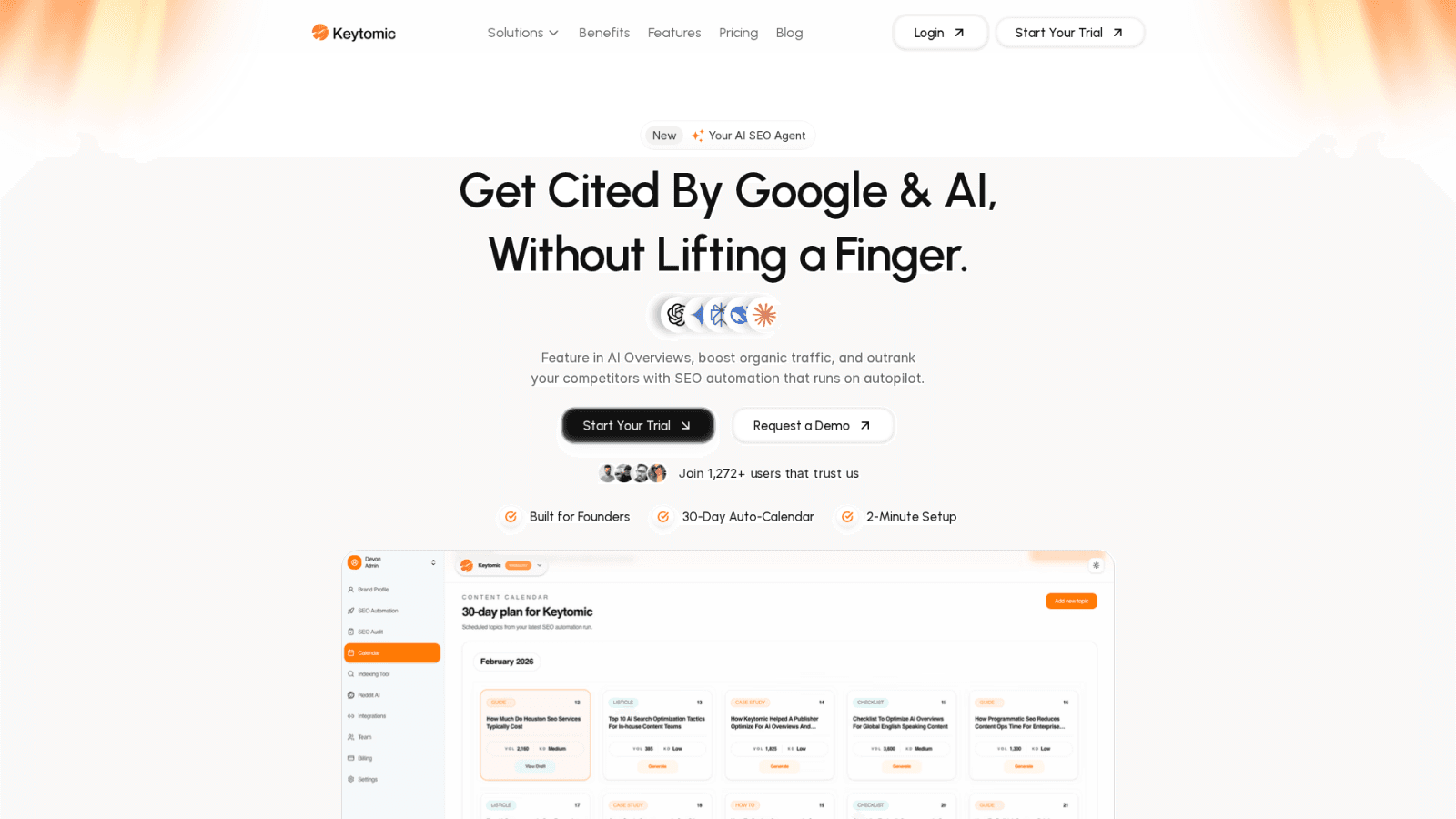
This existing product illustration shows an earlier Keytomic website and calendar view. It does not show organic traffic results or the current interface for every feature.
Step 6: Review and publish the approved page
Before you publish approved articles to your CMS, review the complete page. Verify the title, description, headings, author, sources, images, internal links and the actual content saved in the CMS.
Use a preview to check tables, lists and mobile readability. Confirm that links point to the intended pages, that the canonical is appropriate and that an existing URL remains stable when you are refreshing it. A title update does not usually require a new slug.
Check product descriptions against current release status. Keytomic's platform supports a connected research-to-publishing workflow, but its MCP interface exposes only a subset. Released MCP work includes GSC insights, audits, project information, brand and author settings and indexing-related tools. Direct CMS publishing through MCP is planned as of October 19, 2026.
For recurring content, establish the editorial rules before scaling the schedule: what needs a source, which claims need product review, who approves and what stops a publication. Publishing more frequently makes a weak process repeat faster.
Step 7: Check discovery without promising indexing
After publication, use submission and indexing checks to monitor discovery. Make sure the page returns the expected response, appears in the appropriate sitemap and is linked from relevant accessible pages.
Google explains that requesting a recrawl does not guarantee inclusion. A submitted URL, a crawled URL and an indexed URL are different states. Inspect the engine's reported status before claiming the page is indexed.
Do not use repeated submissions as a substitute for resolving access, canonical or content problems. Keep the submission time and the later inspection result in the change log so the team can distinguish an action from its outcome.
Step 8: Measure, diagnose and improve
Compare the changed pages with the saved baseline using the same filters and definitions. Look at the query mix and business outcomes as well as the headline click count. Where practical, use comparable unchanged pages to help identify broader site or demand movements.
Watch for several patterns. More impressions with stable position may reflect broader coverage. Stable impressions with lower CTR may warrant a search-results review. A sustained decline across queries may need a technical or intent investigation. None of these patterns establishes a cause on its own.
Schedule a content decay review when sustained evidence shows the page needs attention. Inspect outdated facts, changed intent, missing answers, competing pages and internal links before deciding on a refresh.
Keytomic's dedicated Content Refresh / Improvement module is in progress at this review date. Your team can run this evidence-led review now, but should not describe the unreleased module as automatically improving existing articles in production.
Use the review to make a decision: retain the current version, improve a section, test a title, consolidate overlap or investigate a technical issue. Save what changed and why. Avoid changing the displayed update date for a superficial adjustment that adds no new value.
A hypothetical example: refreshing a SaaS integration guide
Suppose a SaaS company has an integration guide that receives relevant impressions but no longer answers the setup questions readers ask. This is an illustrative scenario, not a Keytomic customer result.
The team starts by saving page and query performance, checking indexability and reading the current results for the main setup query. It discovers that the article lacks the current authorization steps, an error-resolution section and a clear explanation of supported permissions.
An agent helps assemble a brief from approved product documentation. The product owner confirms the steps, the author adds accurate screenshots and an editor checks the links. A related overview links into the guide, and the guide links to the detailed troubleshooting page where readers need it.
The team publishes the approved revision at the existing URL, records the change and checks discovery. Later, it compares relevant queries and qualified conversions with the baseline while considering seasonality and other site changes. It reports observed movement and limitations rather than attributing every change to the agent.
The agent's contribution is a shorter, more consistent production process. The quality of the source material, review and implementation still determines whether the page becomes more useful.
A simple measurement sheet
Stage | Save this evidence | Decision it supports |
|---|---|---|
Baseline | Property, periods, query and page metrics, conversion definition | Which page deserves attention |
Audit | Affected URL, condition and verification | What blocks useful work |
Brief | Intent, gaps, sources and internal destinations | What the revision must accomplish |
Publication | Approved version, author, URL and timestamp | What actually changed |
Discovery | Submission acknowledgement and later inspection | Whether the page can be found and indexed |
Review | Comparable performance and competing explanations | Whether to retain, improve or investigate |
Frequently asked questions
Can an AI SEO agent guarantee 10X organic traffic?
No. An agent can help complete SEO work, but a traffic multiple depends on the starting point, demand, competition, site quality and search engine decisions. This guide makes no guaranteed growth claim.
Should I publish new content or refresh an existing page?
Check whether an existing page already serves the target intent. Refresh it when it is the appropriate destination and has specific gaps; create a new page when the reader task is genuinely distinct.
How soon should I measure a refresh?
Verify publication and technical correctness immediately, then compare meaningful periods after enough search data accumulates. The useful interval depends on traffic, seasonality, crawling and the scale of the change; there is no universal deadline for results.
Is Keytomic's automatic Content Refresh module released?
The dedicated Content Refresh / Improvement module is in progress as of October 19, 2026. The manual, evidence-led review process in this guide does not depend on that unreleased module.